A2Z Digi Wave Insight
Software Installation Failure Troubleshooting
August 22, 2026
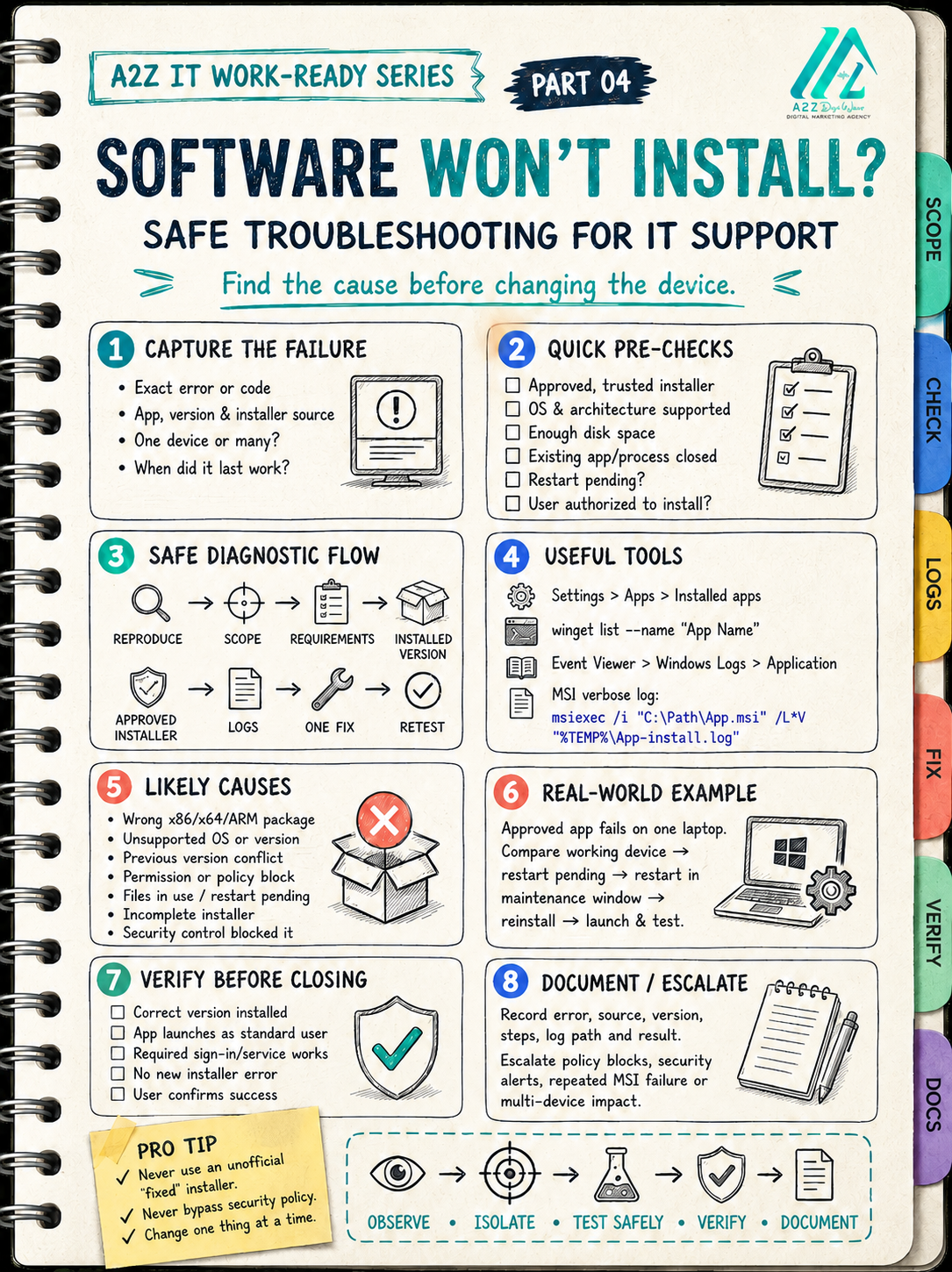
“Software won’t install” is only the symptom—not the diagnosis.
In a real IT support job, avoid repeatedly clicking the installer or downloading another copy from an unknown website.
Use a controlled workflow:
• Capture the exact error and application version
• Confirm whether one device or multiple devices are affected
• Check OS compatibility, architecture, storage and permissions
• Verify that the installer came from an approved source
• Check for an existing version, active process or pending restart
• Collect Windows Installer logs before changing anything
• Apply one justified fix, then retest
• Verify the application as a standard user and document the outcome
At A2Z Digi Wave, we believe professional IT support starts with evidence—not random changes or security bypasses.
Save Part 04 and share it with someone preparing for their first IT support role. What installation error have you faced at work?
#ITSupport #WindowsTroubleshooting #HelpDesk #SoftwareInstallation #TechCareers #A2ZDigiWave
Official sources
Microsoft — msiexec command — Updated February 3, 2023
Microsoft — WinGet list command — Updated July 19, 2026
Microsoft — Windows Installer Logging — Updated July 18, 2023